Kakobuy journal
Full Kakobuy Tutorial: Register, Buy, Check QC Photos, and Ship
Follow this complete Kakobuy tutorial for beginners. Learn how to register, use the Kakobuy spreadsheet, submit product links, review QC photos, manage warehouse items, and ship your first haul.
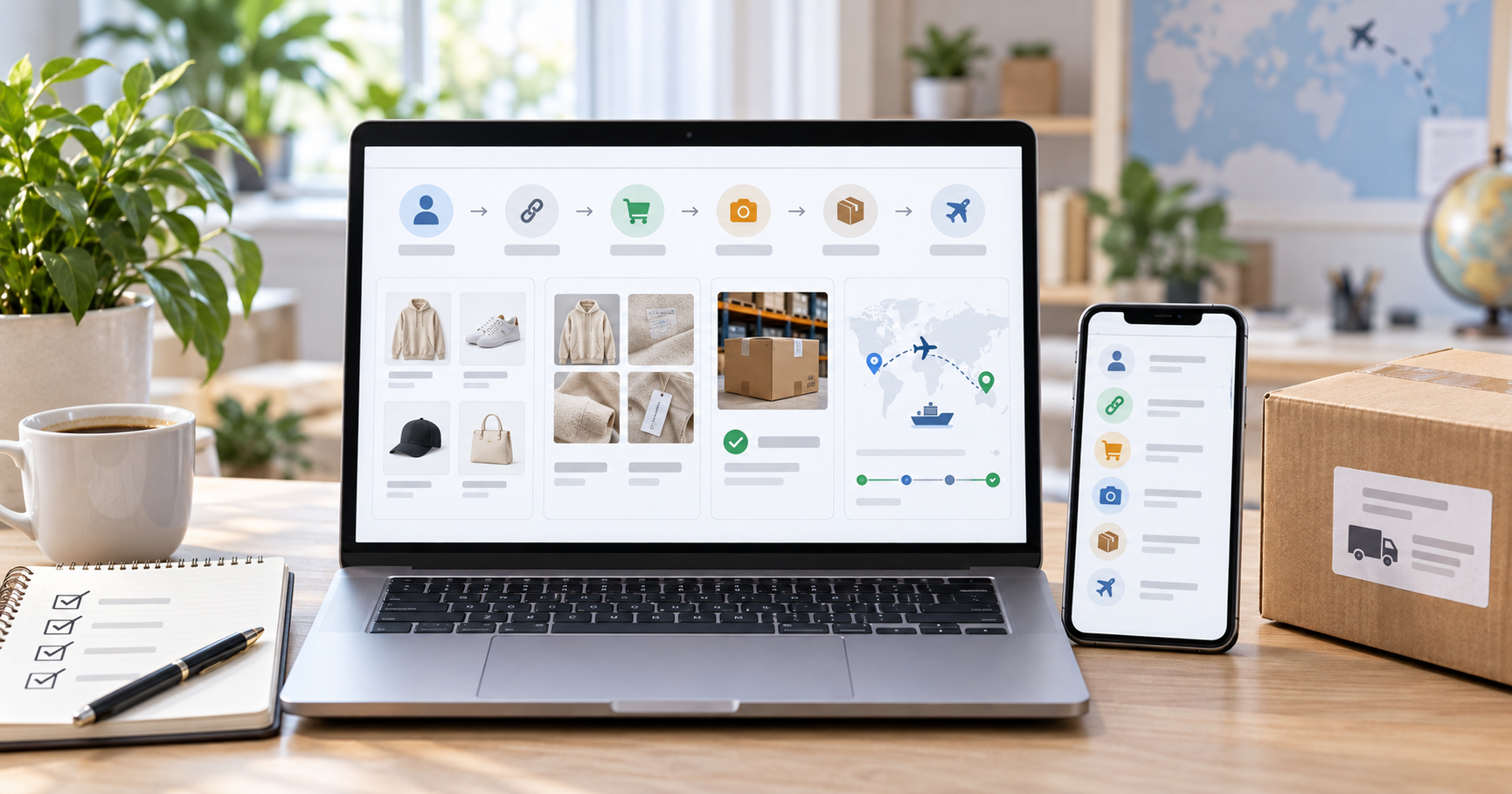
Introduction
If you are using Kakobuy for the first time, the process can feel unfamiliar: you find a product link, submit it through an agent, wait for warehouse arrival, review QC photos, and then choose an international shipping line. The good news is that the workflow becomes simple once you understand what each step is for.
This complete Kakobuy tutorial walks through the full beginner journey from account setup to delivery. It also explains how to use the Kakobuy spreadsheet for product discovery, how to check sizing and seller links, how to review warehouse photos, and how to avoid common mistakes before shipping your first haul.
What Is Kakobuy?
Kakobuy is a buying-agent service that helps international shoppers purchase products from Chinese marketplaces such as Taobao, Weidian, 1688, and Tmall. Instead of needing a domestic Chinese address or local payment method, you submit a product link through Kakobuy. The agent purchases the item, receives it at a warehouse in China, provides inspection photos when available, and helps you ship the parcel overseas.
Kakobuy.company also helps users discover product links through organized spreadsheet resources. A spreadsheet can save time because it groups product references, QC photo examples, estimated weights, categories, and marketplace links in one place. Treat the spreadsheet as a research tool: it helps you find options faster, but you should still verify every listing before you buy.
Step 1: Create Your Kakobuy Account
Start by visiting the official Kakobuy website and creating an account with an email address you can access. Use a strong password and complete any verification steps shown during registration.
After registration, add your shipping address carefully. Include your full name, street address, city, state or province, postal code, country, and phone number. International carriers often require a phone number for delivery updates or customs contact, so do not skip it. A small address mistake can cause delays later, especially after the parcel leaves China.
Step 2: Learn the Main Dashboard Areas
Before placing an order, spend a few minutes understanding the dashboard. Most buying-agent workflows are built around four areas: orders, warehouse, shipping, and account settings.
Orders: where submitted product links, purchase progress, seller updates, and order statuses appear.
Warehouse: where items appear after they arrive from the seller and are ready for photo review or storage.
Shipping: where you select warehouse items, create a parcel, compare routes, and pay for international delivery.
Account: where you manage your address, payment settings, coupons, notifications, and support messages.
Understanding these sections early makes the rest of the process easier. When something changes, you will know whether to check the order page, the warehouse page, or the shipping page.
Step 3: Find Products With the Kakobuy Spreadsheet
The Kakobuy spreadsheet is one of the easiest starting points for beginners. Instead of searching Chinese marketplaces from scratch, you can browse organized categories and compare product references. Look for columns such as item name, category, marketplace link, price reference, QC photo link, estimated weight, and sizing notes.
Use filters to narrow the sheet by category. If you are shopping for shoes, hoodies, bags, accessories, or home items, filter first and then compare the rows. Do not choose a product only because it is listed in the spreadsheet. Open the original Taobao, Weidian, 1688, or Tmall link and confirm that the product is still active, the images match the spreadsheet entry, and the correct size or color option is available.
Step 4: Submit a Product Link Through Kakobuy
Once you find a product you want, copy the marketplace URL and paste it into Kakobuy. The order form should let you select item options such as color, size, quantity, and sometimes seller-specific notes. Review these details before submitting because the agent will use them to purchase from the seller.
If the product page is confusing, add a clear note. For example, you can describe the color, size, or model you want. Keep notes short and specific. The goal is to reduce ambiguity for the buyer who will place the order on your behalf.
Step 5: Track Order Status Before Warehouse Arrival
After submission, the order usually moves through several stages. Common statuses include pending, processing, purchased, shipped by seller, arrived at warehouse, and QC or inspection. The exact labels may vary, but the meaning is similar: Kakobuy receives your request, buys the item, waits for domestic shipping, then checks the item at the warehouse.
Seller shipping inside China can take a few days, but timing depends on the seller, product availability, local courier speed, and holidays. If a seller is out of stock or changes the listing, the order may need extra handling. Check the order page regularly and respond to any support message that requires your decision.
Step 6: Review QC Photos Carefully
QC photos are one of the most important parts of the Kakobuy buying process. These warehouse photos show the actual item after it arrives, not only the seller promotional images. Review them before approving the item for international shipping.
Compare the warehouse photos with the original marketplace listing.
Check color, shape, stitching, labels, logos, print placement, and visible material quality.
Confirm the selected size, color, and quantity match your order.
Look for obvious damage, stains, missing parts, or incorrect variants.
Ask for extra photos if an important detail is unclear and the service is available.
QC photos help you make a better decision, but they are not a laboratory inspection or a guarantee of perfection. They are a practical visual check before the item leaves the warehouse. If something looks wrong, resolve it before shipping internationally, because returns become harder after export.
Step 7: Approve, Return, or Exchange the Item
After reviewing QC photos, decide whether to approve the item, request more information, return it, or exchange it. Approve only when the item matches your order closely enough and you are comfortable shipping it.
If the product is the wrong size, wrong color, visibly damaged, or clearly different from the listing, contact support before approving it. Return and exchange options depend on the seller policy, platform rules, item condition, and timing. Acting quickly gives you more options.
Step 8: Manage Items in the Warehouse
Approved items stay in the warehouse until you are ready to ship them. This is helpful because you can wait for multiple orders to arrive and then ship them together as one parcel. Consolidation can reduce repeated base fees, but it can also increase parcel size and customs risk if the package becomes too large or valuable.
Use the warehouse view to check item weight, storage status, and available actions. For bulky items, pay attention to volumetric weight as well as actual weight. A light but large parcel can cost more than expected if the carrier charges by volume.
Step 9: Create a Shipping Parcel
When all selected items are ready, choose them in the warehouse and create a shipping parcel. Kakobuy should show available shipping lines based on your destination, parcel size, parcel weight, and item category. Compare the options before paying.
Express routes are usually best when speed and tracking visibility matter most.
EMS-style routes can balance cost, tracking, and delivery speed for many beginner hauls.
Economy routes may cost less but usually require more patience and may update tracking less often.
Triangle shipping may be useful for some European parcels when customs handling is a priority.
The best route depends on your country, budget, item type, and timing. Do not choose a line only because it is cheapest or fastest on paper. Read the restrictions and compare the total cost before confirming.
Step 10: Use Packaging Options Wisely
Packaging choices can affect both cost and protection. Some buyers remove unnecessary seller boxes to reduce volume, while others keep boxes for fragile or collectible items. If a rehearsal or pre-packaging service is available, it may help you get a more accurate parcel weight and shipping quote before final payment.
For shoes, bulky clothing, and mixed hauls, packaging optimization can make a meaningful difference. For fragile products, protection matters more than reducing every gram. Choose based on the item, not just the price.
Step 11: Pay for Shipping and Track Delivery
After you confirm the parcel and pay the shipping fee, Kakobuy prepares the package for carrier pickup. Once the parcel is dispatched, you should receive a tracking number. Use the carrier site or a multi-carrier tracking tool to follow the shipment.
International tracking may pause during export processing, customs clearance, flight transfer, or local carrier handoff. A short tracking gap does not always mean something is wrong. Keep your tracking number, order details, QC photos, and payment records until the parcel is delivered.
Step 12: Inspect the Package After Delivery
When the package arrives, inspect it as soon as possible. Compare the received items with your QC photos and order details. Check that nothing is missing and that fragile items survived shipping. If there is a serious issue, take clear photos of the outer package, inner packaging, product label, and affected item before contacting support.
This final check protects you if you need to report a missing item, damaged item, or carrier issue. It also helps you learn what to improve on your next order, such as packaging choices, item selection, or shipping line selection.
Beginner Checklist Before Your First Kakobuy Haul
Create your account with an email address you can access.
Add a complete shipping address and phone number.
Use the Kakobuy spreadsheet to find product references, but verify each marketplace link yourself.
Check sizing notes and compare measurements before ordering.
Submit the correct product link, size, color, and quantity.
Review QC photos before approving warehouse items.
Resolve wrong items or visible flaws before international shipping.
Compare shipping lines by speed, cost, tracking, and restrictions.
Keep tracking records and inspect the parcel after delivery.
Common Mistakes to Avoid
Many first-time buyers make the same avoidable mistakes. They skip measurement checks, trust a spreadsheet link without opening the seller page, approve QC photos too quickly, or choose a shipping line based only on the lowest price. Slow down during the research and warehouse stages. Those are the points where you still have the most control.
Another common mistake is forgetting the total cost. Product price is only one part of the haul. Add domestic seller shipping if applicable, service fees, packaging services, international shipping, payment fees, and possible import taxes. A realistic budget helps you avoid surprises.
Frequently Asked Questions
Is Kakobuy beginner friendly?
Yes, Kakobuy can be beginner friendly if you follow the process step by step: find a product link, verify the listing, submit the order, review QC photos, approve warehouse items, and compare shipping routes before paying.
Do I need the Kakobuy spreadsheet?
You do not need it, but the Kakobuy spreadsheet can make product discovery much faster. It helps you browse organized product references, QC photo examples, categories, and marketplace links from one place.
What should I check in QC photos?
Check whether the item matches the listing and your selected options. Look at color, shape, stitching, labels, logos, sizing tags, visible flaws, missing parts, and packaging condition.
Can I return an item after QC photos?
Return or exchange options depend on seller policy, item condition, timing, and platform rules. If something looks wrong, contact support before approving the item for international shipping.
What is the best shipping line for a first haul?
There is no single best line for every buyer. Express lines are usually better for speed and tracking, EMS-style routes often balance cost and speed, and economy routes are better when timing is flexible. Compare the available options in your account before paying.
Conclusion
The full Kakobuy process is easiest when you treat it as a sequence: register, research, submit product links, track seller shipping, review QC photos, manage warehouse items, create a parcel, choose a shipping route, and inspect your delivery. Each step reduces risk when you handle it carefully.
For your first haul, start small, use the Kakobuy spreadsheet as a research tool, verify product links, prioritize measurements over guesses, and review warehouse photos before shipping. Once you understand the workflow, future orders become much faster and more predictable.