Kakobuy journal
How to Use the Kakobuy Spreadsheet: Beginner's Step-by-Step Guide
Learn how to use the Kakobuy spreadsheet to find Taobao, Weidian, 1688, and Tmall products, check QC photos, verify links, and plan shipping.
Introduction
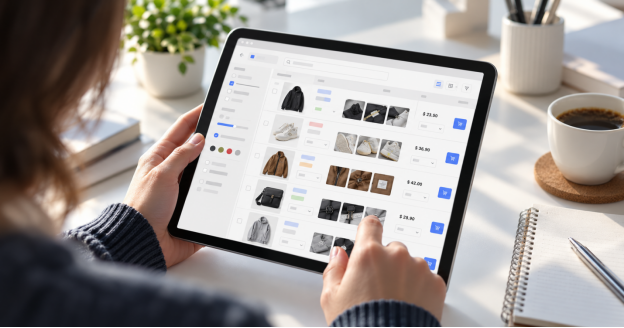
If you are new to shopping through a China buying agent, the Kakobuy spreadsheet is the easiest place to start. Instead of searching marketplace apps one by one, you can browse an organized list of product references, open live Taobao, Weidian, 1688, and Tmall links, compare prices, and review available QC photo examples before placing an order.
This beginner guide explains how to use the Kakobuy spreadsheet step by step. It also shows what to check before buying, how to read QC photos, how to avoid expired links, and how to plan international shipping after your items arrive at the warehouse.
What Is the Kakobuy Spreadsheet?
The Kakobuy spreadsheet is a curated research hub for shoppers who want a faster way to discover products from Chinese marketplaces. On Kakobuy.company, the spreadsheet connects users with thousands of publicly available product listings and keeps them in one easy reference point.
A typical spreadsheet entry may include the product name, category, marketplace link, reference price, QC photo link, estimated weight, sizing notes, and other shopping details. The spreadsheet does not replace your own checks, but it gives you a cleaner starting point than browsing from scratch.
Kakobuy then works as the buying-service platform. You paste a product link into Kakobuy, the agent purchases the item from the seller, receives it at a warehouse in China, provides inspection photos when available, and lets you choose an international shipping line.
Why Beginners Use a Spreadsheet First
Chinese marketplaces have enormous product variety, but they can be difficult for international shoppers. Listings may be written in Chinese, sellers may only ship domestically, and payment options may not work smoothly outside China. A spreadsheet helps narrow the search before you move into the buying process.
- It saves time by grouping useful product links in one place.
- It helps you compare categories, price ranges, and styles quickly.
- It gives you a route to QC photo references, which are more practical than seller promo images.
- It makes it easier to copy a link into Kakobuy and continue with agent purchasing.
The main benefit is control. You can research first, verify details, and only order when a product link, size, color, seller page, and shipping plan make sense.
Step 1: Open the Official Kakobuy Spreadsheet
Start from the official Kakobuy spreadsheet link on Kakobuy.company. Opening the spreadsheet from the site helps you avoid outdated copies, reposted files, or pages that no longer match the current product list.
Once the spreadsheet opens, spend a few minutes looking at the columns. Most beginners move too quickly to the product links. A better first step is to understand what each column is trying to tell you: category, item name, price reference, product link, QC reference, size notes, and any warehouse or weight information.
Step 2: Use Categories and Filters to Find Products
The fastest way to use a Kakobuy spreadsheet is to filter by category. If you are shopping for sneakers, hoodies, bags, accessories, or home items, use the category column to narrow the list instead of scrolling through every row.
After filtering, compare products by price, photos, seller page, and notes. Do not choose an item only because it appears first in the sheet. A strong product entry should have a working marketplace link, enough information to choose the correct option, and, ideally, QC photo references that show real warehouse images.
Step 3: Open and Verify the Product Link
Before placing an order, click the product link and confirm that the seller page still loads correctly. Marketplace links can change, sell out, redirect, or display a different item after a seller edits the listing.
Check the product title, images, color options, sizes, price, and seller details. If the page does not match the spreadsheet entry, treat it as a warning sign. Search for a newer entry, choose another product, or verify the item directly through Kakobuy before paying.
Step 4: Review QC Photos Carefully
QC photos are one of the most useful parts of the Kakobuy shopping process. These are warehouse inspection images that show what an item looked like after it arrived from the seller. They help you evaluate shape, stitching, color, materials, tags, packaging, and other visible details.
Use QC photos as references, not guarantees. They may show a previous order, a different batch, or a slightly different lighting condition. Still, they are usually more realistic than polished seller photos, so they can help you decide whether a product is worth ordering.
- Compare QC photos with the seller listing.
- Look for obvious color, shape, logo, size, or material differences.
- Check whether important details are visible enough to judge.
- Ask for extra photos or consider a return if your own warehouse photos look wrong.
Step 5: Check Size Notes Before You Order
Sizing is where many first orders go wrong. Chinese sizing can run smaller than US, UK, or EU sizing, and different sellers may use different charts. Do not rely only on S, M, L, or a familiar shoe size.
If the spreadsheet includes measurements, compare them with an item you already own. For clothing, measure chest width, shoulder width, sleeve length, and body length. For shoes, compare insole length or foot length whenever the seller provides it. Measurements are usually more reliable than letter sizes.
Step 6: Copy the Link Into Kakobuy
When you are ready to order, copy the marketplace URL and paste it into Kakobuy. The platform should load the product information so you can select color, size, quantity, and other options. Review every selection before paying, especially if the original listing has several variations.
Kakobuy purchases the item from the seller on your behalf. After the seller ships domestically, the item arrives at the Kakobuy warehouse, where it can be checked and prepared for international shipping.
Step 7: Inspect Warehouse Photos Before Shipping
After the item reaches the warehouse, review the available inspection photos before approving it for shipment. This is your chance to catch obvious issues while the item is still in China.
Compare the warehouse photos with the spreadsheet reference, the seller page, and your selected options. If something looks different, do not rush. Request additional photos if available, contact support, or consider returning the item according to the platform rules and seller conditions.
Step 8: Plan Consolidation and International Shipping
One advantage of using a buying agent is consolidation. Instead of shipping each item separately, you can wait for several items to arrive at the warehouse and send them in one parcel. This can make international shipping more efficient, especially for mixed orders.
Compare shipping lines by price, speed, parcel limits, tracking quality, and country availability. Economy lines may cost less but take longer. Express lines may be faster but more expensive. Also remember that import duties, VAT, customs inspections, and local delivery delays depend on your destination country.
Step 9: Track the Package After Dispatch
Once your parcel leaves the warehouse, Kakobuy should provide a tracking number. Use the tracking page, the carrier website, or a parcel tracking app to follow the shipment. International tracking can pause during export processing, customs clearance, or handoff to the local carrier, so short gaps are normal.
Keep your order details, tracking number, payment records, and warehouse photos until delivery is complete. This makes it easier to follow up if a carrier needs extra information or if a package status appears unusual.
Beginner Checklist Before Placing an Order
- Open the spreadsheet from Kakobuy.company.
- Filter by the product category you want.
- Confirm the marketplace product link is active.
- Compare the seller page with the spreadsheet entry.
- Review QC photo references when available.
- Check measurements instead of guessing your size.
- Select the correct color, size, and quantity in Kakobuy.
- Inspect warehouse photos before approving shipment.
- Compare shipping lines before paying for international delivery.
Frequently Asked Questions
Is the Kakobuy spreadsheet official?
Use the spreadsheet linked from Kakobuy.company for the safest starting point. Third-party copies may be outdated, edited, or incomplete.
Are spreadsheet products guaranteed?
No. Spreadsheet entries are research references, not product guarantees or endorsements. Always verify the current seller page, price, options, and QC photos before ordering.
What if a product link is dead?
If a Taobao, Weidian, 1688, or Tmall link no longer works, the seller may have removed or changed the listing. Look for a newer entry, search the marketplace again, or choose another item.
Can QC photos guarantee quality?
QC photos help you inspect visible details, but they do not guarantee manufacturing quality or future batches. Treat them as decision support and review your own warehouse photos carefully.
How do I reduce shipping costs?
Compare shipping lines, consider consolidating several items, review packaging options, and pay attention to estimated weight. The cheapest line is not always the best choice if tracking, speed, or restrictions matter to you.
Conclusion
The Kakobuy spreadsheet is best used as a research tool: find products, compare options, check QC references, verify marketplace links, and then order through Kakobuy when the details look right. For beginners, this step-by-step process reduces guesswork and makes shopping from Taobao, Weidian, 1688, and Tmall much easier to manage.
Start with the official spreadsheet, move slowly through verification, and use warehouse QC photos before shipping. That simple workflow gives you a smoother first order and helps you build better product research habits over time.