Kakobuy journal
Kakobuy QC Help Guide: How to Review Warehouse Photos
Learn how to review Kakobuy QC photos before shipping. Use this beginner-friendly checklist to inspect size, color, stitching, materials, logos, packaging, and visible flaws.
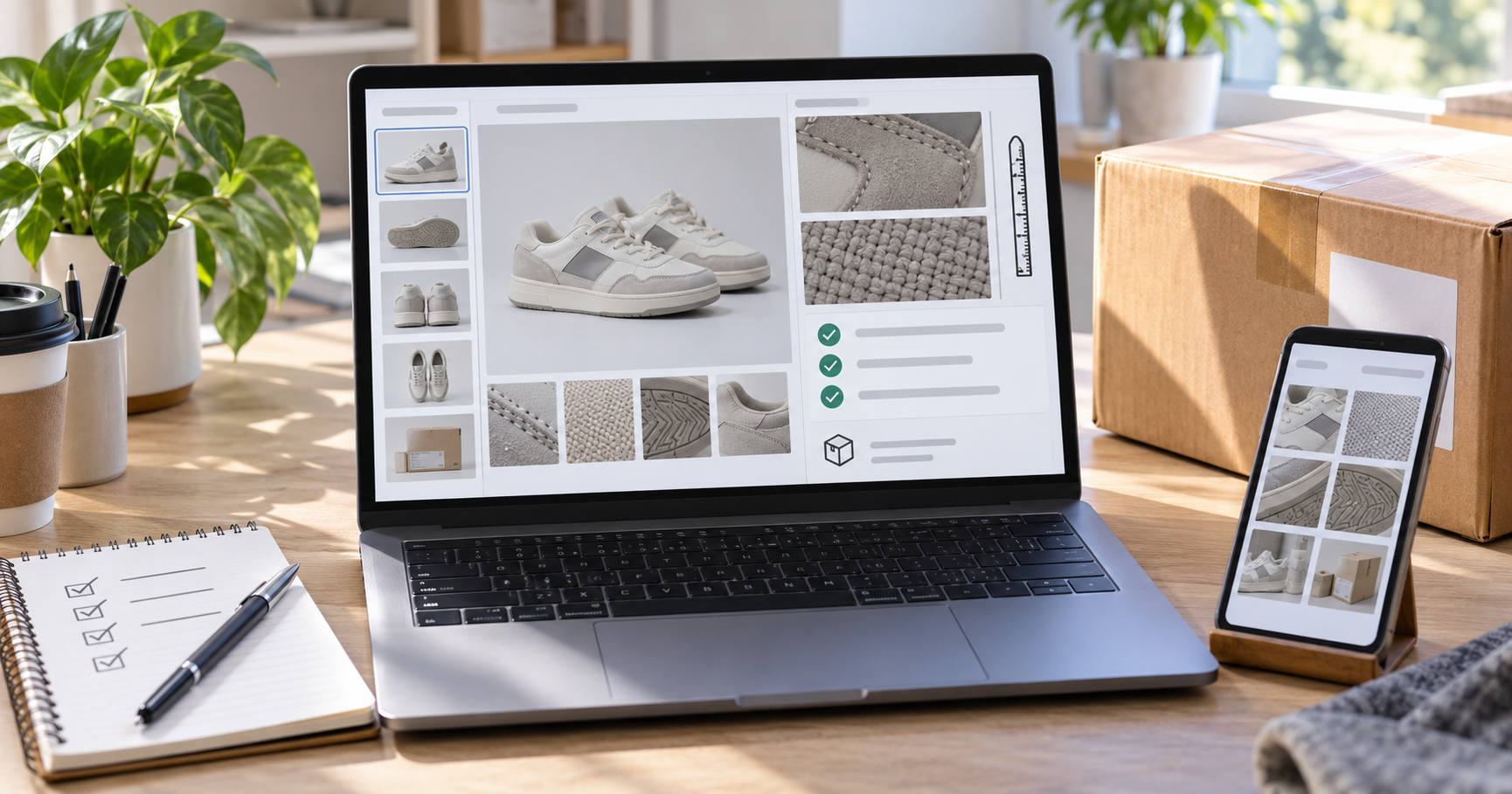
Introduction
QC photos are one of the most important checkpoints in a Kakobuy order. They let you inspect the item after it arrives at the warehouse in China and before you pay for international shipping. If you review them carefully, you can catch wrong sizes, incorrect colors, visible flaws, missing parts, and product details that do not match the seller listing.
This Kakobuy QC help guide explains how warehouse photos work, what to inspect in each photo, when to ask for extra images, and how to decide whether to approve, return, or exchange an item. Use it together with the Kakobuy spreadsheet and the original marketplace listing so you are not relying on seller promotional photos alone.
What Are Kakobuy QC Photos?
Kakobuy QC photos are warehouse inspection images taken after an item arrives from the seller. They usually show the actual product, packaging, labels, tags, visible details, and sometimes measurement or close-up views. These photos help you decide whether the item is acceptable before it is packed into an international parcel.
QC photos are practical inspection references, not a full laboratory quality test. Lighting, camera angle, compression, and warehouse conditions can affect how an item appears. The goal is to identify obvious issues and confirm that the item generally matches your order.
Before You Review QC Photos
Open three things side by side before you make a decision: the Kakobuy QC photo album, the original product listing, and any notes from the Kakobuy spreadsheet. This gives you a fair comparison between what you ordered, what the seller advertised, and what arrived at the warehouse.
Confirm the product link still matches the item you ordered.
Check your selected size, color, model, and quantity.
Review spreadsheet notes for sizing, estimated weight, or known QC concerns.
Remember that seller photos may be edited, while warehouse photos are usually more direct and less polished.
Step 1: Check the Overall Shape and Silhouette
Start with the full-item photos before zooming into details. Ask whether the item looks like the listing at a basic level. For shoes, check the toe shape, side profile, heel curve, sole height, and symmetry. For clothing, check the cut, length, shoulder shape, sleeve shape, and proportions. For bags or accessories, check the structure, hardware placement, and overall finish.
A small camera-angle difference is normal. A major difference in shape is more serious. If the overall silhouette looks wrong, ask for extra photos or consider a return before approving the item.
Step 2: Inspect Logos, Labels, and Branding Details
If the product includes logos, labels, embroidery, printed graphics, tags, buckles, zipper pulls, or metal hardware, zoom in on those areas. Look for placement, spacing, alignment, color, and finish quality.
Printed details should look centered and clean rather than stretched or blurry.
Embroidery should be even, not loose, crooked, or crowded.
Labels and tags should match the product option you selected.
Hardware should not look scratched, bent, or poorly attached in the warehouse photos.
Do not rely on one close-up only. Compare the close-up with the full-item view so you can see whether the detail is placed correctly on the whole product.
Step 3: Review Stitching and Seams
Stitching often reveals whether an item is finished cleanly. Look at high-stress areas such as pockets, cuffs, hems, shoulders, collars, shoe panels, bag handles, and zipper edges. Good stitching should look consistent and secure.
Loose threads are not always a dealbreaker, but skipped stitches, crooked seams, open seams, or uneven panel alignment are stronger warning signs. If the photos do not show the area clearly, request an extra close-up when available.
Step 4: Compare Materials and Texture
Use QC photos to check whether the material looks close to the listing and product description. Fabric texture, leather grain, suede nap, mesh density, knit pattern, and print quality can all show up in warehouse images.
Be careful with lighting. A warehouse photo may make material look cooler, warmer, darker, or flatter than it will look in person. Still, if the material appears obviously different from the listing, ask for another photo or consider whether the item is worth keeping.
Step 5: Check Color With Lighting in Mind
Color is one of the hardest things to judge from QC photos. Warehouse lighting can shift white balance, and different screens can display color differently. Compare the photo to the listing, but allow for small tone changes.
A slight warm or cool shift is common. A clearly wrong color is different. If you ordered navy and the item appears black, or you ordered beige and it appears gray, ask for a re-photo under better lighting or near a neutral background if that option is available.
Step 6: Verify Size and Measurements
Sizing is one of the most important QC checks for first-time buyers. Chinese marketplace sizing may differ from US, UK, or EU sizing, and seller size charts are not always consistent. If the warehouse provides measurement photos or if you can request them, use actual measurements instead of guessing.
For tops, check chest width, shoulder width, sleeve length, and body length.
For pants, check waist, hip, thigh, inseam, and total length when relevant.
For shoes, insole length is often more useful than the printed size number.
For bags, check width, height, depth, strap length, and hardware placement if size matters.
Compare measurements with an item you already own and like. This is more reliable than relying on letter sizes alone.
Step 7: Look for Damage, Missing Parts, and Packaging Issues
Before approving an item, check for visible damage or missing parts. Look for stains, tears, scratches, dents, glue marks, cracked hardware, loose buttons, missing accessories, damaged boxes, or packaging that may not protect the item well during international shipping.
Some packaging damage may not matter if you only care about the item. For fragile goods, collectibles, or giftable items, packaging condition may be important. Decide based on how you plan to use the product.
When Should You Request Extra QC Photos?
Request extra photos when the existing album does not show an important decision point clearly. Be specific in your request so the warehouse knows what to photograph.
Ask for a close-up of a suspected flaw instead of requesting a vague new photo.
Ask for measurement photos when sizing is uncertain.
Ask for a color re-photo if lighting makes the color hard to judge.
Ask for photos of included accessories if the listing mentions extra parts.
Extra photos may take time or require a small fee depending on the service. Use them when the decision matters, not for every minor curiosity.
Approve, Return, or Exchange: How to Decide
After reviewing QC photos, choose the action that matches the issue level. Approve the item if it matches your order and any minor imperfections are acceptable to you. Request a return or exchange if the item is wrong, damaged, clearly different from the listing, or unlikely to fit.
Approve: the item matches your order and you are comfortable shipping it internationally.
Request extra photos: the issue is unclear and more evidence would change your decision.
Return: the item is wrong, damaged, or not worth keeping.
Exchange: the seller has the correct variant available and the issue can be fixed by replacing the item.
Return and exchange options depend on seller policy, marketplace rules, item condition, timing, and support handling. Act quickly while the item is still in the warehouse.
Kakobuy QC Checklist for Beginners
Does the full item match the original listing?
Are the selected size, color, model, and quantity correct?
Do logos, labels, graphics, and hardware look properly placed?
Are stitching and seams clean enough for your standards?
Does the material look close to the seller photos and description?
Could lighting explain small color differences, or is the color clearly wrong?
Are measurement photos available for size-sensitive items?
Are there stains, scratches, dents, missing parts, or visible damage?
Do you need extra photos before making a final decision?
Would you still be happy with the item after paying international shipping?
How the Kakobuy Spreadsheet Helps With QC
The Kakobuy spreadsheet can support the QC process before and after ordering. Before buying, it helps you compare product references, QC examples, sizing notes, and estimated weights. After the item arrives, it gives you a baseline for what similar products looked like in previous warehouse photos.
Use spreadsheet QC references carefully. They may show a different batch, size, seller update, or lighting condition. A reference photo helps set expectations, but your own warehouse photos should drive the final decision.
Frequently Asked Questions
Are Kakobuy QC photos automatic?
QC photo availability can vary by item, service, and order workflow. Check the item details in your Kakobuy account and request additional photos if an important detail is missing.
Can QC photos guarantee product quality?
No. QC photos help you inspect visible details, but they cannot guarantee long-term durability, exact material feel, or every hidden defect. They are still one of the best tools for avoiding obvious mistakes before shipping.
What if the QC photos look different from the listing?
Compare the photos carefully and allow for lighting differences. If the product shape, color, logo, size, or material looks significantly different, ask for extra photos or contact support about a return or exchange.
Should I approve an item with minor flaws?
It depends on your standards, the product cost, shipping cost, and how visible the flaw is. Minor loose threads may be acceptable to some buyers, while wrong sizing or major damage usually deserves action before shipping.
What is the most important QC photo for clothing?
For clothing, measurement photos are often the most important because fit problems are common. Chest width, length, shoulder width, and sleeve length can matter more than the listed size label.
Conclusion
Kakobuy QC photos give you a final chance to inspect an item before it enters international shipping. Review the full-item shape first, then check logos, stitching, materials, color, measurements, damage, and missing parts. If something is unclear, ask for a targeted extra photo before approving.
The best QC habit is simple: compare the warehouse photos with the original listing, your selected options, and any Kakobuy spreadsheet notes. A careful review at this stage can save money, reduce disappointment, and make your next haul easier to manage.